Hi-SPECS INNOVATIVE SOLUTIONS LTD
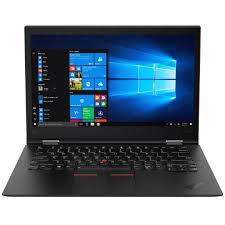
Lenovo Thinkpad X1 Yoga, Core i7, 8th Generation
Lenovo Thinkpad X1 Yoga, Core i7, 8th Generation
Couldn't load pickup availability
The Lenovo ThinkPad X1 Yoga Gen 8 is a premium Intel® Evo™-certified, 14-inch 2-in-1 convertible laptop powered by 13th Generation Intel Core i7 processors. It features up to 64GB LPDDR5x RAM, PCIe 4.0 NVMe SSD storage up to 2TB, a 360° aluminium chassis, an integrated rechargeable stylus, and a 57Wh battery rated for up to 13.7 hours. It is engineered for business professionals, executives, and mobile workers who need enterprise-grade security, versatile form-factor performance, and all-day productivity.
Detailed Technical Specifications
Lenovo ThinkPad X1 Yoga Processor Performance Specs
|
Specification |
Details |
|
Processor Family |
13th Generation Intel® U or P-Series Core i7 |
|
Core i7-1355U |
10 Cores (2P + 8E), 12 Threads, Base: 1.7GHz P-core / 1.2GHz E-core, Boost: 5.0GHz P-core / 3.7GHz E-core, 12MB Cache |
|
Core i7-1360P |
12 Cores (4P + 8E), 16 Threads, Base: 2.2GHz P-core / 1.6GHz E-core, Boost: 5.0GHz P-core / 3.7GHz E-core, 18MB Cache |
|
Core i7-1365U |
10 Cores (2P + 8E), 12 Threads, Base: 1.8GHz P-core / 1.3GHz E-core, Boost: 5.2GHz P-core / 3.9GHz E-core, 12MB Cache |
|
Core i7-1370P |
14 Cores (6P + 8E), 20 Threads, Base: 1.9GHz P-core / 1.4GHz E-core, Boost: 5.2GHz P-core / 3.9GHz E-core, 24MB Cache |
|
Chipset |
Intel® SoC (System on Chip) Platform |
|
Operating System |
Windows 11 Pro / Home; Ubuntu Linux; No Preload option |
Lenovo ThinkPad X1 Yoga Memory & Storage Specs
|
Specification |
Details |
|
Max Memory |
16GB / 32GB / 64GB (configuration-dependent) |
|
Memory Type |
LPDDR5/x-6000 (32GB & 64GB); LPDDR5x-6400 (16GB) |
|
Memory Slots |
Soldered to systemboard — no upgrade slots |
|
Upgradability |
Not upgradable — configure at purchase |
|
Storage Interface |
M.2 2280 PCIe® NVMe®, PCIe® 4.0 x4 |
|
Storage Options |
256GB / 512GB / 1TB (Standard); 512GB / 1TB / 2TB (Performance NVMe) |
|
Max Storage Support |
Up to 2TB M.2 2280 SSD |
|
Storage Security |
Opal 2.0 encryption support |
|
Card Reader |
None |
Lenovo ThinkPad X1 Yoga Display Specs
|
Specification |
Details |
|
Screen Size |
14 inches |
|
WUXGA IPS Option |
1920 x 1200 resolution, 400 nits brightness, 100% sRGB, Anti-glare / Anti-reflection, 16:10 aspect ratio, 1000:1 contrast ratio, Eyesafe® Certified 2.0 |
|
WUXGA IPS Privacy Option |
1920 x 1200, 500 nits, 100% sRGB, ThinkPad® Privacy Guard built-in |
|
4K OLED Option |
3840 x 2400 (WQUXGA), 500 nits, 100% DCI-P3, 100,000:1 contrast ratio, DisplayHDR™ 400, Dolby Vision®, Eyesafe® Certified 2.0 |
|
Touchscreen |
OGS (One Glass Solution), 10-point multi-touch |
|
Viewing Angle |
85°/85°/85°/85° (L/R/U/D) |
|
Aspect Ratio |
16:10 |
|
Display Modes |
Laptop, Tent, Stand, Tablet (360° hinge) |
Lenovo ThinkPad X1 Yoga Battery & Connectivity Specs
|
Specification |
Details |
|
Battery Capacity |
57Wh Rechargeable Li-ion |
|
Rapid Charge |
Up to 80% in 1 hour (with 65W USB-C adapter) |
|
Battery Life (MobileMark® 25) |
Up to 13.7 hours |
|
Battery Life (JEITA 2.0) |
Up to 27.7 hours |
|
Local Video Playback |
Up to 22.4 hours |
|
Power Adapter Options |
45W or 65W USB-C® (PD 3.0), 100–240V, 50–60Hz |
|
Wi-Fi |
Intel® Wi-Fi 6E AX211, 802.11ax, 2x2 |
|
Bluetooth |
Bluetooth® 5.3 |
|
WWAN (Optional) |
4G LTE CAT16 or 5G Sub-6 GHz with embedded eSIM |
|
Ethernet |
Via optional USB-C adapter (no onboard port) |
|
NFC |
Optional on select models |
Lenovo ThinkPad X1 Yoga Graphics Capabilities Specs
|
Specification |
Details |
|
Graphics Type |
Intel® Iris® Xe Graphics (Integrated) |
|
Memory |
Shared with system RAM |
|
DirectX Support |
DirectX® 12.1 |
|
GPU Performance |
Approximately 1.6 TFLOPS |
|
External Display Support |
Up to 4 independent displays |
|
HDMI Output |
Up to 4K @ 60Hz |
|
Thunderbolt Output |
Up to 5K @ 60Hz |
|
Use Case |
Office productivity, video conferencing, light content creation |
Lenovo ThinkPad X1 Yoga Portability and Build Specs
|
Specification |
Details |
|
Dimensions (W x D x H) |
314.4 x 222.3 x 15.53 mm (12.38 x 8.75 x 0.61 inches) |
|
Starting Weight |
1.38 kg (3.04 lbs) |
|
Case Color |
Storm Grey |
|
Case Material |
Aluminium top and bottom |
|
Form Factor |
2-in-1 Convertible |
|
Hinge |
360° multi-mode hinge |
Lenovo ThinkPad X1 Yoga Build & Essentials Specs
|
Specification |
Details |
|
Keyboard |
6-row, spill-resistant, LED backlit, multimedia Fn keys, Unified Communications controls |
|
TrackPad |
Glass surface, multi-touch, 56 x 110 mm (2.20 x 4.33 inches) |
|
Pointing Device |
ThinkPad® TrackPoint® |
|
Stylus |
Lenovo Integrated Pen — garaged, rechargeable, 4096 pressure levels |
|
Camera |
FHD 1080p + IR with privacy shutter; optional Computer Vision |
|
Microphone |
Quad-array, 360° far-field, Dolby Voice® |
|
Speakers |
2W x2 woofers + 0.8W x2 tweeters, Dolby Atmos® |
|
Audio Chip |
Realtek® ALC3306 HD Audio |
|
Ports |
2x Thunderbolt 4 / USB4 40Gbps, 1x HDMI 2.1, 2x USB 3.2 Gen 1, 1x 3.5mm combo jack |
|
Security |
Fingerprint reader, IR camera (facial recognition), discrete TPM 2.0, ThinkShield suite, Kensington Nano Lock slot |
|
Intel Certification |
Intel® Evo™ Platform Certified |
Lenovo Thinkpad X1 Yoga, Core i7, 8th Generation Technical Specs Explained
A Processor That Keeps Up — No Matter the Task
The Core i7 processor inside this machine reaches up to 5.2GHz on its performance cores. In plain terms, that means your spreadsheet does not lag when you have 15 browser tabs open, your Teams call does not stutter when you are screen-sharing a 40MB PowerPoint, and your video does not buffer when you are editing a client presentation in real time. The hybrid core architecture assigns light background tasks to efficiency cores, saving battery while keeping performance cores reserved for what actually matters.
Memory That Multitasks As Hard As You Do
With up to 64GB of LPDDR5x RAM, the Lenovo ThinkPad X1 Yoga Gen 8 handles serious multitasking without breaking a sweat. Think of RAM as your desk space — the more you have, the more you can work on at once without constantly clearing things away. Running Zoom, Chrome (with multiple tabs), Excel, and Outlook simultaneously? This machine handles all of it without slowdown.
Storage That Is Both Fast and Secure
PCIe Gen 4 NVMe storage is roughly twice as fast as the previous generation. That means your files open near-instantly, your system boots in seconds, and large file transfers — such as uploading a 2GB video to Google Drive before a presentation in Upperhill — take a fraction of the time they would on a standard laptop.
A 14-Inch Display Built for Long Hours
The 16:10 aspect ratio gives you roughly 11% more vertical screen real estate than a standard 16:9 display. That matters enormously when you are scrolling through contracts, reading long reports, or reviewing code. The Eyesafe® Certification 2.0 means the display is scientifically validated to reduce harmful blue light — important for professionals who stare at screens for eight or more hours daily. The optional 4K OLED panel takes this further, with a 100,000:1 contrast ratio that makes images appear almost three-dimensional.
All-Day Battery — Without the Anxiety
A 57Wh battery with up to 13.7 hours of real-world use means you can leave the power brick at your Kilimani office and still make it through a full day of meetings, commuting, and work. When you do need to recharge, the Rapid Charge feature gets you to 80% in just one hour using any 65W USB-C adapter.
Four Ways to Use One Machine
The 360° hinge transforms the ThinkPad X1 Yoga into four distinct modes. Laptop mode for standard work. Tablet mode for reviewing documents and signing contracts with the integrated pen. Tent mode for presentations on a crowded conference table. Stand mode for watching content or hands-free video calls. This is the versatility that justifies the premium price.
A Stylus That Actually Comes With the Laptop
The Lenovo Integrated Pen is garaged inside the device, charges wirelessly from the laptop, and offers 4096 levels of pressure sensitivity — the same level found in professional drawing tablets. For lawyers annotating contracts, architects sketching concepts, or executives signing documents on the go, this is a feature that costs hundreds of extra shillings on competing devices.
Why the ThinkPad X1 Yoga Gen 8 Is a Category-Defining Machine
1. Enterprise Security You Can Actually Trust
The Lenovo ThinkPad X1 Yoga Gen 8 ships with the most comprehensive security stack in its class. ThinkShield combines hardware-level encryption (TPM 2.0), a fingerprint reader, an IR camera for facial recognition, and Opal 2.0 SSD encryption. For Kenyan professionals handling sensitive client data — whether in law, finance, or healthcare — these are not optional features. They are necessities that protect livelihoods and reputations.
2. A Form Factor That Replaces Multiple Devices
Most professionals carry a laptop, a tablet, and a stylus as three separate devices with three separate chargers. The Lenovo ThinkPad X1 Yoga consolidates all three into a single 1.38 kg machine. Over a year, that consolidation saves significant money and eliminates the friction of switching devices throughout the day.
3. Intel® Evo™ Certification — A Standard Very Few Laptops Meet
Intel Evo certification is not a marketing label — it is a strict test of real-world performance. To qualify, a laptop must wake from sleep in under one second, achieve at least nine hours of real-world battery life, and maintain consistent responsiveness under various workloads. The ThinkPad X1 Yoga Gen 8 meets all of these requirements, making it one of the most reliably performing 2-in-1s on the market.
Who Should Buy the Lenovo ThinkPad X1 Yoga Gen 8?
The Corporate Professional in Nairobi's CBD
Picture a senior consultant at a firm on Mama Ngina Street. They attend four meetings a day, fly to Mombasa twice a month, and spend evenings reviewing reports. They need a device that looks premium in a boardroom, survives the jostling of a SGR journey, and does not die mid-presentation. The ThinkPad X1 Yoga Gen 8 solves every one of those problems. Its aluminium chassis, all-day battery, and instant-wake capability mean it is always ready — exactly when they are not.
The Field Executive Who Works Everywhere
Picture a development manager who divides their time between a Westlands office, client sites in Thika, and international trips. They need to switch between writing reports, sketching workflow diagrams, and presenting to donors — sometimes in the same afternoon. The 360° hinge and integrated stylus make the ThinkPad X1 Yoga their single all-purpose tool, eliminating the need to carry both a laptop and a tablet. The optional 5G WWAN support ensures they stay connected even away from reliable Wi-Fi.
The Business Owner Who Cannot Afford Downtime
For an entrepreneur running operations out of a co-working space in Kilimani or a home office in Lavington, reliability is revenue. A device that crashes, slows down, or runs out of battery means missed deadlines and lost clients. The ThinkPad X1 Yoga's enterprise-grade build quality — including its MIL-SPEC-inspired durability standards and spill-resistant keyboard — means it is built to survive the real world, not just a lab test.
What Owners and Experts Actually Experience
The Lenovo ThinkPad X1 Yoga Gen 8 is consistently praised for its benchmark-setting keyboard — considered by many business users to be the best available on any laptop at this price tier. The key travel, layout, and tactile feedback make extended writing sessions genuinely comfortable, which is a decisive advantage for professionals who type thousands of words daily.
In performance benchmarks, the i7-1355U configuration scores approximately 2,049 points in single-core Geekbench 6 and 7,976 in multi-core — figures that comfortably handle all business workloads including data analysis in Excel, PDF rendering, cloud-based accounting, and HD video conferencing. Thermal management is well-tuned: the system runs quietly under typical office loads and the fans only become noticeable during sustained heavy tasks.
The aluminium chassis has proven resilient in demanding environments. Unlike plastic-bodied competitors, the all-aluminium build does not flex under pressure, does not accumulate unsightly scuffs easily, and maintains its premium appearance after years of daily use. This matters particularly in client-facing environments across Nairobi's corporate districts, where the device you carry says something about you before you even open it.
The display's Eyesafe® 2.0 certification is genuinely meaningful for long-hours users. Kenyan professionals who average 10-plus hours in front of a screen will notice reduced eye fatigue over time — a health benefit rarely quantified in reviews but consistently mentioned by long-term users.
Lenovo ThinkPad X1 Yoga Frequently Asked Questions
Is the Lenovo ThinkPad X1 Yoga Gen 8 Worth the Price in Kenya?
Yes — with an important caveat. The Lenovo ThinkPad X1 Yoga Gen 8 commands a premium price, and it earns it through a combination of features that are genuinely rare at this form factor: Intel Evo certification, an integrated rechargeable stylus, four usage modes, enterprise security hardware, and an aluminium chassis that weighs under 1.4 kg. For professionals who use their laptop as their primary productivity tool for five or more hours daily, the investment pays for itself in efficiency, reliability, and longevity. If you use a laptop occasionally or primarily for light browsing, a mid-range device will suffice.
Can the RAM and Storage Be Upgraded After Purchase?
The RAM is soldered directly to the motherboard and cannot be upgraded after purchase. This makes your initial configuration choice critical — if you anticipate running memory-intensive applications, choose 32GB or 64GB upfront. The storage, however, is user-upgradable via the single M.2 2280 PCIe 4.0 slot, allowing you to expand to up to 2TB. Plan your RAM carefully; plan your storage more flexibly.
Does the Lenovo ThinkPad X1 Yoga Gen 8 Support 5G Connectivity in Kenya?
The device supports optional 5G WWAN via a Fibocom FM350-GL module (Sub-6 GHz) with embedded eSIM, as well as 4G LTE CAT16 with MIMO 4x4. Kenya's major telecoms — Safaricom, Airtel Kenya, and Telkom Kenya — operate 4G networks extensively, and Safaricom continues its 5G rollout across Nairobi. If your model includes WWAN support, you can connect to cellular data without relying on a Wi-Fi hotspot, which is a significant productivity advantage in Kenya's often variable office connectivity environments.
How Does the Lenovo ThinkPad X1 Yoga Gen 8 Handle Heat During Heavy Use?
The device is engineered for business workloads rather than sustained heavy loads like video rendering or 3D modelling. Under typical office-intensive use — multitasking across productivity apps, video conferencing, and cloud services — it remains cool and nearly silent. Under maximum sustained load, the CPU throttles at approximately 70°C and draws around 18 watts, which keeps surface temperatures manageable. The Lenovo Vantage software also allows you to set performance modes, including an efficiency mode that further reduces heat and fan noise during lighter tasks.
What Security Features Does the Lenovo ThinkPad X1 Yoga Gen 8 Include?
Security is a foundational feature of this device, not an add-on. It ships with a discrete TPM 2.0 chip for hardware-based encryption, a fingerprint reader for biometric authentication, an IR camera for Windows Hello facial recognition, Opal 2.0 SSD encryption support, a physical privacy shutter on the camera, and the full ThinkShield security suite — Lenovo's enterprise security platform. For professionals in sectors such as financial services, legal, healthcare, and NGOs across Kenya, these layers of security provide the kind of data protection required by institutional and regulatory standards.
Share