Hi-SPECS INNOVATIVE SOLUTIONS LTD
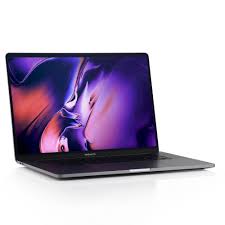
Apple MacBook Pro 16 Inch 2019, Core i9, Backlit Magic Keyboard
Apple MacBook Pro 16 Inch 2019, Core i9, Backlit Magic Keyboard
Couldn't load pickup availability
The MacBook Pro 15 2019 is a professional-grade 15.4-inch laptop powered by up to a 2.4GHz 8-core Intel Core i9 processor, a 2880 x 1800 Retina display with True Tone technology, up to Radeon Pro Vega 20 discrete graphics with HBM2 memory, and up to 32GB of DDR4 RAM. It is purpose-built for video editing, software development, music production, and graphics-intensive workflows.

Detailed Technical Specifications
MacBook Pro 15 2019 Processor Performance Specs
|
Specification |
Base Configuration |
Top Configuration |
|
Processor |
2.6GHz 6-core Intel Core i7 |
2.4GHz 8-core Intel Core i9 |
|
Turbo Boost |
Up to 4.5GHz |
Up to 5.0GHz |
|
L3 Cache |
12MB shared |
16MB shared |
|
Alternative Base |
2.3GHz 8-core Intel Core i9 |
— |
|
Alt. Turbo Boost |
Up to 4.8GHz |
Up to 5.0GHz |
MacBook Pro 15 2019 Memory & Storage Specs
|
Specification |
Base Option |
Maximum |
|
RAM |
16GB DDR4 |
32GB DDR4 |
|
RAM Speed |
2400MHz |
2400MHz |
|
RAM Type |
Onboard |
Onboard |
|
Base Storage (2.6GHz) |
256GB SSD |
4TB SSD |
|
Base Storage (2.3GHz) |
512GB SSD |
4TB SSD |
MacBook Pro 15 2019 Display Specs
|
Specification |
Detail |
|
Display Size |
15.4-inch diagonal |
|
Display Type |
Retina LED-backlit IPS |
|
Native Resolution |
2880 x 1800 |
|
Pixel Density |
220 pixels per inch |
|
Brightness |
500 nits |
|
Color Gamut |
Wide color (P3) |
|
True Tone |
Yes |
|
Supported Scaled Resolutions |
1920x1200, 1680x1050, 1280x800, 1024x640 |
MacBook Pro 15 2019 Battery & Connectivity Specs
|
Specification |
Detail |
|
Battery Capacity |
83.6-watt-hour lithium-polymer |
|
Wireless Web Life |
Up to 10 hours |
|
Video Playback Life |
Up to 10 hours |
|
Standby Time |
Up to 30 days |
|
Power Adapter |
87W USB-C |
|
Ports |
4x Thunderbolt 3 (USB-C) |
|
Thunderbolt Speed |
Up to 40Gb/s |
|
USB Speed |
USB 3.1 Gen 2 up to 10Gb/s |
|
Wi-Fi |
802.11ac (a/b/g/n compatible) |
|
Bluetooth |
Bluetooth 5.0 |
|
Headphone Jack |
3.5mm |
MacBook Pro 15 2019 Graphics Capabilities Specs
|
Specification |
Base (2.6GHz) |
Base (2.3GHz) |
Top Option |
|
Discrete GPU |
Radeon Pro 555X |
Radeon Pro 560X |
Radeon Pro Vega 20 |
|
VRAM |
4GB GDDR5 |
4GB GDDR5 |
4GB HBM2 |
|
Integrated GPU |
Intel UHD Graphics 630 |
Intel UHD Graphics 630 |
Intel UHD Graphics 630 |
|
Auto Switching |
Yes |
Yes |
Yes |
|
Configurable GPU Option |
Radeon Pro 560X |
Radeon Pro Vega 16 or Vega 20 |
— |
MacBook Pro 15 2019 Portability and Build Specs
|
Specification |
Detail |
|
Height |
0.61 inch (1.55 cm) |
|
Width |
13.75 inches (34.93 cm) |
|
Depth |
9.48 inches (24.07 cm) |
|
Weight |
4.02 pounds (1.83 kg) |
MacBook Pro 15 2019 Build & Essentials Specs
|
Specification |
Detail |
|
Finish Options |
Silver, Space Gray |
|
Keyboard |
Full-size backlit keyboard with Touch Bar and Touch ID |
|
Keys (US layout) |
64 keys with 4-arrow key arrangement |
|
Trackpad |
Force Touch trackpad with pressure sensing and Multi-Touch gestures |
|
Camera |
720p FaceTime HD |
|
Microphone |
Three microphones |
|
Speakers |
Stereo speakers with high dynamic range |
|
Audio Output |
3.5mm headphone jack |
|
Operating System |
macOS |
|
Enclosure |
Highly recyclable aluminum |
|
EPEAT Rating |
Gold |
MacBook Pro 15 2019 With Core i9 Technical Specs Explained
A Processor That Handles Everything Without Flinching
The MacBook Pro 15 2019 i9 configuration puts an 8-core chip capable of reaching 5.0GHz via Turbo Boost right under your fingertips. In real-world terms, this means compiling large Xcode projects in seconds, running multiple virtual machines simultaneously without lag, or exporting a complex DaVinci Resolve project in a fraction of the time it would take on a standard office laptop. For developers at Nairobi tech hubs like C4DLab at the University of Nairobi or creatives working with regional brands, this processing headroom is the difference between waiting and working.
A Display That Makes Every Pixel Count
The 15.4-inch Retina display renders at 2880 x 1800 with 220 pixels per inch — sharp enough that individual pixels are invisible at normal viewing distance. At 500 nits of brightness, it remains clearly readable in bright environments, whether you are at a poolside meeting at a Nairobi hotel or working in a well-lit open-plan office. Wide colour P3 support means images and videos display with a richer, more accurate colour range, which is critical for designers and photographers who need to see their work as it will truly appear in print or on screen.
Graphics That Power Professional Visual Work
The Radeon Pro Vega 20 GPU configuration uses HBM2 memory — a high-bandwidth memory type that delivers faster data transfer to the GPU than standard GDDR5. For users working in 3D modelling, motion graphics, or colour grading, this means smoother playback, faster renders, and more stable performance under sustained graphical loads. Automatic graphics switching means the laptop uses the more efficient Intel UHD 630 for everyday tasks to save battery, then switches to the discrete Radeon GPU when serious power is needed.
Ten Hours of Real Battery Life
Apple's MacBook Pro 15 2019 battery life testing clocks 10 hours of wireless web browsing on the 83.6Wh battery. For a professional working a full day out of the office — at a client site in Westlands, during a long flight to a regional conference, or at a creative retreat in the Aberdares — this means getting through the day without needing to carry a charger everywhere.
A Trackpad and Keyboard Built for Precision
The Force Touch trackpad uses pressure-sensing technology that distinguishes between a light tap and a deliberate press, enabling shortcuts and actions that speed up professional workflows. The full-size backlit keyboard with Touch Bar provides dynamic, app-aware shortcut keys that change contextually — showing timeline scrubbing controls in video software, emoji suggestions when messaging, and formatting options in Pages. Touch ID logs you in and authenticates payments instantly, a small but meaningful daily convenience.
Why the MacBook Pro 15 2019 Is a Worthy Professional Investment: The 3-Point USP
1. Professional-Grade Performance in a Portable Package The MacBook Pro 15 2019 with Core i9 delivers workstation-class performance in a machine that weighs just 1.83kg and fits in a standard laptop bag. For professionals in Kenya and across East Africa who travel frequently and cannot afford to compromise on performance, this combination of power and portability is genuinely rare. You are not carrying a desktop replacement — you are carrying a professional tool that happens to be portable.
2. A Display and GPU Combination Built for Creative Accuracy The 2880 x 1800 Retina display with P3 wide colour, paired with up to Radeon Pro Vega 20 graphics and HBM2 memory, means that what you see on screen is accurate and what you render is fast. For designers, video editors, and visual artists, this accuracy is not a luxury — it is a professional necessity. Delivering colour-accurate work to clients requires a display and GPU that you can trust, and this machine provides both.
3. An Ecosystem That Maximises Long-Term Productivity macOS is deeply optimised for Apple hardware, which means every watt of performance is used efficiently. Built-in apps including GarageBand, iMovie, Pages, Numbers, and Keynote cover a wide range of professional needs without additional software purchases. The four Thunderbolt 3 ports support up to four external displays, high-speed external storage, and docking solutions, making the MacBook Pro 15 2019 the ideal anchor for a professional desk setup that scales with your business.
Why MacBook Pro 15 2019 is a must have
The Kenyan Content Creator and Visual Professional
Kenya's creative economy continues to grow, with video production companies, advertising agencies, and independent YouTubers producing increasingly sophisticated content. The MacBook Pro 15 2019 specs — particularly the Core i9 processor and Radeon Pro Vega graphics — make it well-suited for video editing, motion graphics, and colour grading in tools like Final Cut Pro X and Adobe Premiere. The Retina display ensures colour accuracy for a craft where accuracy matters professionally and commercially.
The Developer Working on Demanding Projects
Software developers running Docker containers, Android emulators, Kubernetes clusters, or large monorepo codebases need RAM and CPU headroom that most consumer laptops cannot provide. With up to 32GB of 2400MHz DDR4 RAM, an 8-core i9, and up to 4TB of SSD storage, the apple MacBook Pro 15 2019 handles these workloads without compromise. For developers in Nairobi's fintech and software-as-a-service sectors — a fast-growing segment of the Kenyan economy — this machine is a serious productivity investment.
The Mobile Executive Who Cannot Afford Downtime
Senior professionals who rely on their laptop for presentations, data analysis, long-haul video calls, and document creation need a machine that is fast, reliable, and professional in appearance. The MacBook Pro 15 2019 delivers all three — the aluminium build is premium and durable, the 10-hour battery covers a full working day, and the performance means no waiting for files to load, apps to respond, or videos to buffer.
Tested, Trusted, and Built to Last: What Owning This Machine Is Really Like
The MacBook Pro 15 2019 earns its professional reputation in daily use. The aluminium enclosure is rigid without being heavy — at 1.83kg, it is lighter than many competing professional laptops in the same performance tier. The machine is quiet under light workloads; noise emission at idle is rated at just 8 dB at the operator position, which is near-silent in a standard office or library environment.
Under heavy sustained loads, the fans engage as expected, but the thermal management system manages heat well enough to maintain performance across extended sessions. The MacBook Pro 15 2019 battery life of up to 10 hours holds up reliably under real-world conditions of mixed browsing, document editing, and light creative work — the kind of day most professionals actually have.
The Force Touch trackpad remains one of the most precise and responsive input devices available on any laptop. Combined with macOS trackpad gestures, it significantly reduces reliance on a mouse for everyday work. The Touch Bar, while initially requiring an adjustment period, becomes genuinely useful in creative applications where quick access to controls speeds up professional workflows.
From a durability perspective, the aluminium enclosure is built to withstand the rigours of daily professional use — being carried across Nairobi's CBD, taken through airport security, and opened and closed hundreds of times a year. The EPEAT Gold rating and use of recycled, BFR-free, PVC-free materials also reflect a build philosophy that prioritises quality and longevity.
MacBook Pro 15 2019 Frequently Asked Questions
What Is the MacBook Pro 15 2019 Screen Resolution and Is It Good Enough for Professional Work?
The MacBook Pro 15 2019 screen resolution is 2880 x 1800 at 220 pixels per inch on a 15.4-inch IPS display. Yes, this is more than sufficient for professional creative work. At this pixel density, text is razor-sharp, photos are detailed, and video playback is smooth and natural. The display covers the P3 wide colour gamut, which is the industry standard for professional photo and video work. True Tone technology automatically adjusts the display's white balance based on ambient lighting, which reduces eye fatigue during long working sessions.
What Graphics Options Are Available and Which One Should I Choose?
The MacBook Pro 15 2019 offers three discrete GPU options: the Radeon Pro 555X (4GB GDDR5), the Radeon Pro 560X (4GB GDDR5), and the Radeon Pro Vega 16 and Vega 20 (both with 4GB HBM2 memory). For general professional use — presentations, coding, light photo editing — the base 555X or 560X is adequate. For video editors, 3D artists, and motion graphics designers who need consistent high-performance rendering, the Radeon Pro Vega 20 with HBM2 memory is the recommended choice. HBM2 memory offers higher bandwidth than GDDR5, which translates directly into faster render times and smoother playback in GPU-intensive applications.
How Does the MacBook Pro 15 2019 Battery Life Hold Up in Real Use?
Apple officially rates the MacBook Pro 15 2019 battery life at up to 10 hours for wireless web browsing and Apple TV app video playback on the 83.6Wh battery. In real-world mixed use — combining browser tabs, a code editor, messaging apps, and occasional video playback — most users can expect 7 to 9 hours of productive use. Heavier tasks like sustained video rendering or running multiple virtual machines will reduce battery life meaningfully. The 87W USB-C Power Adapter tops the battery up reasonably quickly, and the USB-C standard means third-party chargers and power banks are compatible.
What Is the Difference Between the Core i7 and Core i9 Versions?
The base configuration ships with a 2.6GHz 6-core Intel Core i7 with a 12MB L3 cache, while the i9 configurations offer an 8-core chip with a 16MB L3 cache and Turbo Boost speeds of up to 5.0GHz. The practical difference is most visible in CPU-intensive tasks: the MacBook Pro 15 2019 i9 completes large video exports, software compilations, and data processing tasks noticeably faster due to its additional cores and larger cache. For everyday office tasks, the i7 performs very similarly. If your work regularly involves heavy creative or development workloads, the i9 configuration is the more future-proof investment.
How Many External Displays Can the MacBook Pro 15 2019 Support?
The MacBook Pro 15 2019 supports simultaneous output to up to two external displays at 5120 x 2880 resolution at 60Hz, or up to four external displays at 4096 x 2304 resolution at 60Hz, via its four Thunderbolt 3 ports. VGA, HDMI, DVI, and Thunderbolt 2 connectivity is available using adapters, which are sold separately. This multi-display capability makes the MacBook Pro 15 2019 an excellent centre of a professional multi-monitor workstation — whether you are running a dual-screen development environment or a four-screen trading or data analysis setup.